01
Learn through making
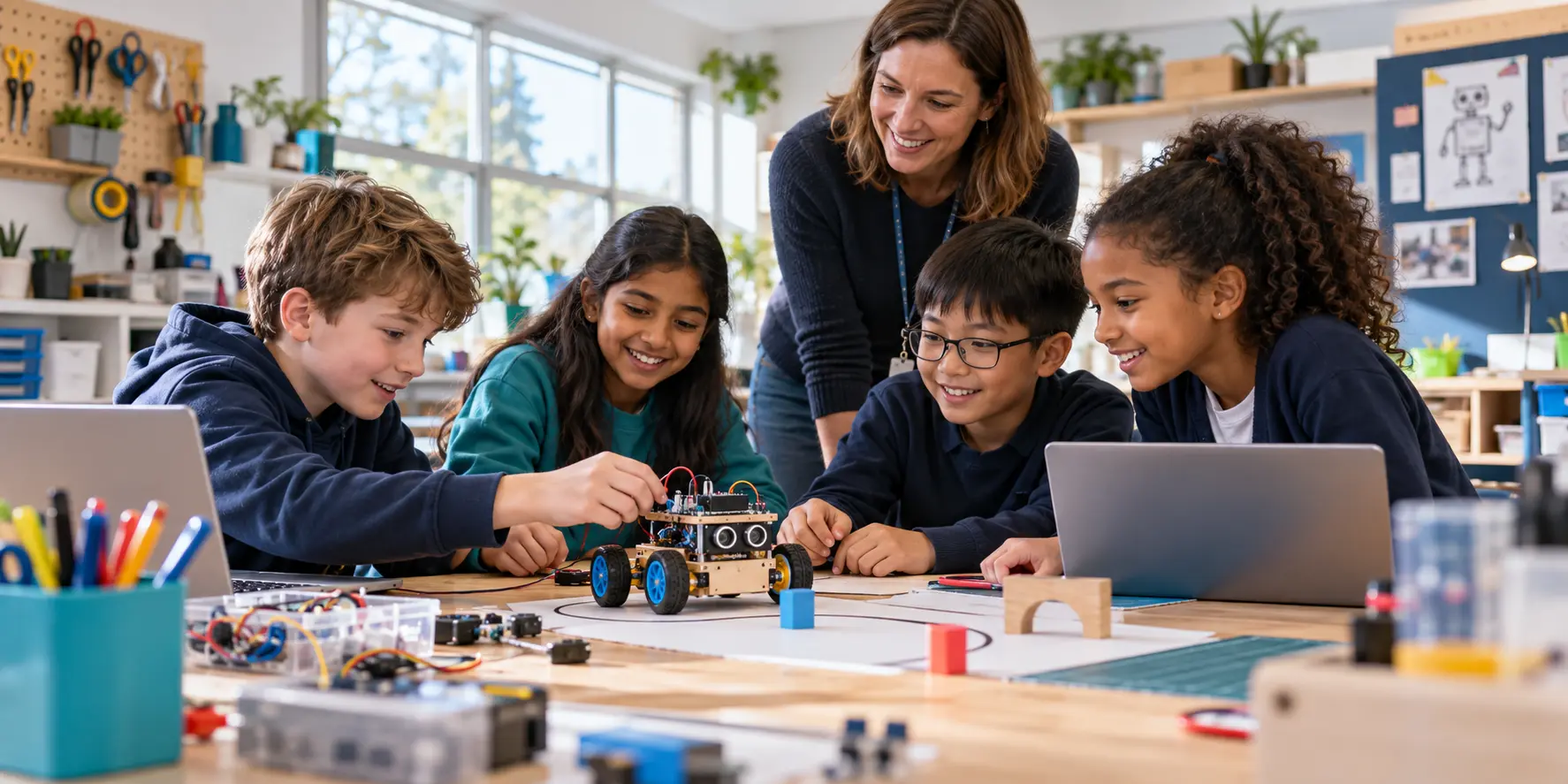
Pupils build physical or digital prototypes so that sequences, inputs, outputs, rules and decisions can be observed and discussed.

Primary education · Ages 7–11
CIRC primary programmes introduce artificial intelligence, robotics and digital problem-solving through stories, physical making, visual coding and structured teamwork. The project examples below are representative programme models for schools; they show the learning design and expected evidence without naming institutions or claiming unverified outcomes.
Key Stages 1–2
Project-based learning
Responsible AI
Teacher-ready delivery
01 / Programme approach
Children do not begin with abstract machine-learning theory. They begin with questions they can investigate: How does a robot follow instructions? What can a sensor notice? How might a computer make a choice—and when should a person remain responsible?
01
Pupils build physical or digital prototypes so that sequences, inputs, outputs, rules and decisions can be observed and discussed.
02
Every project has a user, place or purpose. Technology becomes a design material rather than an isolated classroom exercise.
03
Children rotate through builder, coder, tester, researcher and communicator roles, learning how different contributions support a team.
04
A successful project is not simply one that works once. Pupils predict behaviour, collect evidence, identify problems and explain an improvement.
02 / Ages 7–8 project
Teams design a small robot or interactive model to support a familiar classroom routine. The project creates an accessible first encounter with computational thinking, engineering design and responsible technology.
Challenge
Pupils observe a routine, interview a teacher or classmate and decide whether technology could help with organising, reminding, transporting or signalling.
Build
Children assemble a simple mechanism and use visual blocks to program a sequence of actions, outputs and pauses.
Think
The class distinguishes between following a fixed sequence and responding to an input, then discusses situations that require adult judgement.
Share
Teams show who the robot is for, how it works, what could go wrong and one change they made after testing.
03 / Ages 8–10 project
Pupils investigate a local habitat and build a simple sensing system that records environmental conditions. The project connects computing with science, mathematics, geography and environmental responsibility.
Investigate
Teams explore questions involving light, temperature, moisture, movement or sound and decide what evidence would be useful.
Measure
Children take repeated readings, create tables or charts and notice variation, patterns and possible measurement errors.
Design
Teams construct a suitable enclosure, position sensors thoughtfully and explain how materials or location could affect the data.
Interpret
Pupils use evidence to suggest a habitat action while recognising that limited data does not provide a perfect answer.
04 / Ages 9–11 project
A model emergency zone gives older primary pupils an authentic team challenge. They program a robot to navigate a route, respond to markers or sensor inputs and transport a lightweight object while working within safety and time constraints.
01
Teams analyse the map, identify hazards, decompose the mission and agree a testable sequence of tasks.
02
Pupils use repetition, conditionals and sensor events, then diagnose whether failures arise from code, construction or the environment.
03
Children balance speed, stability, accuracy and payload, learning that improving one feature can affect another.
04
Teams decide which actions the robot may perform independently and when it must stop or request help from a human operator.
05 / Creative AI project
Pupils investigate how AI-generated ideas or classifications can support—but should not replace—human creativity. The project combines English, art, computing and media literacy.
Explore
Children compare human-created and machine-assisted suggestions, discussing originality, accuracy, suitability and ownership.
Create
Teams develop a character, setting and problem, then use approved tools or rule-based models to generate or classify selected elements.
Check
Pupils look for mistakes, stereotypes, missing context and inappropriate details, documenting what they changed and why.
Publish
The final story, animation or interactive scene identifies the tools used and highlights the decisions made by the children.
06 / Smart school project
Teams examine how sensing, simple rules and automation might reduce waste or improve comfort in a classroom. The emphasis is on evidence, realistic design and the consequences of automated decisions.
01
Pupils can investigate lighting, temperature, air quality, water or waste through observation and age-appropriate measurement.
02
Children model how a sensor reading might trigger an alert or action and test whether the selected rule works in different situations.
03
Teams interview users and consider whether one automated setting meets everyone’s needs, including pupils with different sensory or accessibility requirements.
04
The project concludes with a model, dashboard or storyboard and an evidence-based recommendation to a school audience.
07 / International team challenge
Where safeguarding, timetables and partner arrangements permit, a primary project can connect two classrooms in different countries. Pupils investigate a shared theme locally and exchange evidence rather than attempting unrestricted online collaboration.
01
Both classes explore the same theme—such as biodiversity, sustainable classrooms or helpful robots—using locally available materials.
02
Teachers coordinate approved questions, short recordings, diagrams or data summaries through agreed school channels.
03
Pupils identify similarities and differences in environment, school routine, design choices and available evidence without treating one approach as universal.
04
Teams contribute to a moderated online presentation or combined digital exhibition celebrating process, learning and cultural understanding.
08 / Teamwork by design
Builder
Assembles, measures and improves the physical design while recording important changes.
Coder
Develops the program with the team, predicts behaviour and explains key blocks or rules.
Tester
Runs agreed tests, records what happened and makes sure the team learns from unsuccessful attempts.
Communicator
Keeps the project connected to its audience and helps every team member prepare the final demonstration.
09 / Learning and assessment
01
Sequences, events, repetition, conditionals, inputs, outputs, debugging, data representation and age-appropriate ideas about algorithms.
02
Requirements, mechanisms, materials, measurement, prototyping, controlled testing and iterative improvement.
03
Patterns in data, the difference between rules and learning, uncertainty, errors, human oversight and appropriate use.
04
Design journal, annotated code, test table, prototype, individual explanation, team reflection and live or recorded demonstration.
10 / Safety and responsible use
01
Schools select platforms, accounts, hardware and content suitable for the pupils, curriculum and institutional policies.
02
Projects minimise personal data, avoid unnecessary identification and teach children not to enter private information into AI systems.
03
Teachers establish equipment checks, movement zones, supervised testing and clear stop procedures for classroom robots.
04
Pupils learn that an AI output may be incorrect or unfair and that a trusted adult remains responsible for important decisions.
11 / Delivery for schools
1 day
A focused, high-energy project introducing AI and robotics through one challenge and a structured team demonstration.
6–10 sessions
A complete project sequence with teacher guidance, pupil resources, assessment evidence and progressive technical learning.
One or more terms
Connected projects across year groups that build vocabulary, coding confidence, engineering independence and responsible-AI understanding.
Capacity building
Planning, facilitation, technical preparation, assessment and troubleshooting support so that school staff can sustain and adapt delivery.
12 / Expected programme outputs
01
Age-appropriate records combining designs, code, data, testing, reflection and explanations of responsible choices.
02
Robots, sensor systems, digital stories, interactive models or classroom proposals presented to an authentic audience.
03
Observation prompts, knowledge checks, rubrics and project artefacts that make individual and team progress visible.
04
Recommendations for progression, equipment reuse, curriculum connections, clubs, challenges or international school collaboration.
Build the next programme
We can shape a class project, school pilot, international team or multi-school pathway around your learners.